
user manual

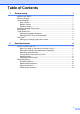
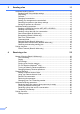
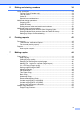

Table Of Contents
- Advanced User’s Guide MFC-J4510DW MFC-J4710DW
- User's Guides and where do I find them?
- Table of Contents
- 1 General setup
- 2 Security features
- 3 Sending a fax
- Additional sending options
- Additional sending operations
- Sending a 2-sided fax from the ADF (MFC-J4710DW)
- Sending a fax manually
- Sending a fax at the end of a conversation
- Dual Access (Black & White only)
- Broadcasting (Black & White only)
- Real Time Transmission
- Overseas Mode
- Delayed Faxing (Black & White only)
- Delayed Batch Transmission (Black & White only)
- Checking and canceling waiting jobs
- Polling overview
- 4 Receiving a fax
- 5 Dialing and storing numbers
- 6 Printing reports
- 7 Making copies
- Copy options
- Stop copying
- Changing copy quality
- Enlarging or reducing the copied image
- Making N in 1 copies or a poster (Page Layout)
- 2 in 1 ID Copy (Page Layout)
- Sorting copies using the ADF
- Adjusting Density
- Ink Save Mode
- Thin Paper Copy
- Book Copy
- Watermark Copy
- Remove Background Color
- 2-sided copying (MFC-J4510DW)
- 2-sided copying (MFC-J4710DW)
- Saving copy options as a Shortcut
- Ledger Copy Shortcuts
- Copy options
- 8 PhotoCapture Center™: Printing photos from a memory card or USB Flash memory drive
- 9 Printing photos from a camera
- A Routine maintenance
- B Glossary
- Index
- brother USA/CAN

iv
5 Dialing and storing numbers 34
Voice operations..................................................................................................34
Tone or Pulse (Canada only)......................................................................... 34
Fax/Tel mode.................................................................................................34
Caller ID......................................................................................................... 34
Special line considerations ............................................................................35
Additional dialing operations................................................................................37
Outgoing Call.................................................................................................37
Caller ID history ............................................................................................. 37
Dialing access codes and credit card numbers .............................................38
Additional ways to store numbers........................................................................ 39
Storing Address Book numbers from Outgoing Calls .................................... 39
Storing Address Book numbers from the Caller ID history ............................ 39
Setting up Groups for Broadcasting ..............................................................40
6 Printing reports 42
Fax reports........................................................................................................... 42
Transmission Verification Report...................................................................42
Fax Journal (activity report) ...........................................................................42
Reports ................................................................................................................ 43
How to print a report ......................................................................................43
7 Making copies 44
Copy options........................................................................................................44
Stop copying..................................................................................................44
Changing copy quality ...................................................................................44
Enlarging or reducing the copied image........................................................45
Making N in 1 copies or a poster (Page Layout) ........................................... 46
2 in 1 ID Copy (Page Layout) ........................................................................ 47
Sorting copies using the ADF ........................................................................ 48
Adjusting Density........................................................................................... 48
Ink Save Mode...............................................................................................49
Thin Paper Copy............................................................................................ 49
Book Copy ..................................................................................................... 50
Watermark Copy............................................................................................ 50
Remove Background Color ........................................................................... 51
2-sided copying (MFC-J4510DW) ................................................................. 52
2-sided copying (MFC-J4710DW) .................................................................53
Saving copy options as a Shortcut ................................................................55
Ledger Copy Shortcuts........................................................................................56
Ledger Copy Shortcut.................................................................................... 56