
user manual

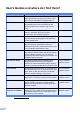
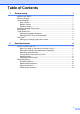
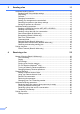
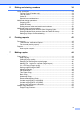

Table Of Contents
- Advanced User’s Guide MFC-J4510DW MFC-J4710DW
- User's Guides and where do I find them?
- Table of Contents
- 1 General setup
- 2 Security features
- 3 Sending a fax
- Additional sending options
- Additional sending operations
- Sending a 2-sided fax from the ADF (MFC-J4710DW)
- Sending a fax manually
- Sending a fax at the end of a conversation
- Dual Access (Black & White only)
- Broadcasting (Black & White only)
- Real Time Transmission
- Overseas Mode
- Delayed Faxing (Black & White only)
- Delayed Batch Transmission (Black & White only)
- Checking and canceling waiting jobs
- Polling overview
- 4 Receiving a fax
- 5 Dialing and storing numbers
- 6 Printing reports
- 7 Making copies
- Copy options
- Stop copying
- Changing copy quality
- Enlarging or reducing the copied image
- Making N in 1 copies or a poster (Page Layout)
- 2 in 1 ID Copy (Page Layout)
- Sorting copies using the ADF
- Adjusting Density
- Ink Save Mode
- Thin Paper Copy
- Book Copy
- Watermark Copy
- Remove Background Color
- 2-sided copying (MFC-J4510DW)
- 2-sided copying (MFC-J4710DW)
- Saving copy options as a Shortcut
- Ledger Copy Shortcuts
- Copy options
- 8 PhotoCapture Center™: Printing photos from a memory card or USB Flash memory drive
- 9 Printing photos from a camera
- A Routine maintenance
- B Glossary
- Index
- brother USA/CAN

iii
3Sending a fax 11
Additional sending options...................................................................................11
Sending faxes using multiple settings ...........................................................11
Stop faxing.....................................................................................................11
Contrast .........................................................................................................12
Changing fax resolution.................................................................................12
Setting your changes as the new default.......................................................13
Restoring fax options to the factory settings.................................................. 14
Saving fax options as a Shortcut ................................................................... 14
Additional sending operations..............................................................................15
Sending a 2-sided fax from the ADF (MFC-J4710DW) .................................15
Sending a fax manually .................................................................................15
Sending a fax at the end of a conversation ...................................................16
Dual Access (Black & White only) .................................................................16
Broadcasting (Black & White only) ................................................................16
Real Time Transmission................................................................................ 18
Overseas Mode .............................................................................................18
Delayed Faxing (Black & White only) ............................................................ 19
Delayed Batch Transmission (Black & White only) .......................................19
Checking and canceling waiting jobs.............................................................20
Polling overview ...................................................................................................20
Polled Transmit (Black & White only) ............................................................20
4 Receiving a fax 22
Memory Receive (Black & White only) ................................................................22
Fax Forwarding..............................................................................................22
Paging ...........................................................................................................22
Fax Storage ...................................................................................................23
Printing a fax from the memory .....................................................................24
PC-Fax Receive (Windows
®
only).................................................................24
Turning off Memory Receive operations........................................................25
Changing Memory Receive operations .........................................................26
Remote Retrieval ................................................................................................. 27
Setting a Remote Access Code.....................................................................27
Using your Remote Access Code..................................................................27
Remote Fax commands ................................................................................28
Retrieving fax messages ...............................................................................29
Changing your Fax Forwarding number ........................................................29
Additional receiving operations............................................................................30
Receiving faxes into memory when paper tray is empty ............................... 30
Printing a reduced incoming fax ....................................................................30
Receiving a fax at the end of a conversation.................................................30
Temporary Fax Backup ................................................................................. 31
Polling overview ...................................................................................................32
Polling receive ...............................................................................................32