
user manual

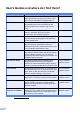
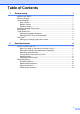
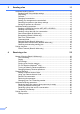
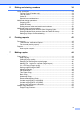

Table Of Contents
- Advanced User’s Guide MFC-J4510DW MFC-J4710DW
- User's Guides and where do I find them?
- Table of Contents
- 1 General setup
- 2 Security features
- 3 Sending a fax
- Additional sending options
- Additional sending operations
- Sending a 2-sided fax from the ADF (MFC-J4710DW)
- Sending a fax manually
- Sending a fax at the end of a conversation
- Dual Access (Black & White only)
- Broadcasting (Black & White only)
- Real Time Transmission
- Overseas Mode
- Delayed Faxing (Black & White only)
- Delayed Batch Transmission (Black & White only)
- Checking and canceling waiting jobs
- Polling overview
- 4 Receiving a fax
- 5 Dialing and storing numbers
- 6 Printing reports
- 7 Making copies
- Copy options
- Stop copying
- Changing copy quality
- Enlarging or reducing the copied image
- Making N in 1 copies or a poster (Page Layout)
- 2 in 1 ID Copy (Page Layout)
- Sorting copies using the ADF
- Adjusting Density
- Ink Save Mode
- Thin Paper Copy
- Book Copy
- Watermark Copy
- Remove Background Color
- 2-sided copying (MFC-J4510DW)
- 2-sided copying (MFC-J4710DW)
- Saving copy options as a Shortcut
- Ledger Copy Shortcuts
- Copy options
- 8 PhotoCapture Center™: Printing photos from a memory card or USB Flash memory drive
- 9 Printing photos from a camera
- A Routine maintenance
- B Glossary
- Index
- brother USA/CAN

ii
Table of Contents
1 General setup 1
IMPORTANT NOTE...............................................................................................1
Memory Storage ....................................................................................................1
Volume Settings.....................................................................................................1
Ring Volume ....................................................................................................1
Beeper Volume................................................................................................2
Speaker Volume ..............................................................................................2
Automatic Daylight Saving Time............................................................................3
Sleep Mode ........................................................................................................... 3
Touchscreen LCD..................................................................................................4
Setting the backlight brightness.......................................................................4
Setting the Dim Timer for the backlight ...........................................................4
Dial Prefix .............................................................................................................. 5
Setting up or changing the prefix number........................................................5
2 Security features 6
Secure Function Lock 2.0 ......................................................................................6
Before you begin to use Secure Function Lock 2.0.........................................6
Setting and changing the Administrator Password..........................................7
Setting up restricted users............................................................................... 7
Turning Secure Function Lock on/off............................................................... 8
Switching users ...............................................................................................9
Changing to Public mode ................................................................................9
Restricting dialing ..................................................................................................9
Dial pad restriction......................................................................................... 10
Address Book restriction................................................................................ 10
Shortcut restriction......................................................................................... 10
LDAP Server restriction ................................................................................. 10