
user manual
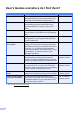
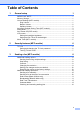
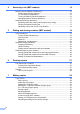

Table Of Contents
- Advanced User’s Guide MFC-J450DW MFC-J470DW MFC-J475DW DCP-J152W
- User's Guides and where do I find them?
- Table of Contents
- 1 General setup
- 2 Security features (MFC models)
- 3 Sending a fax (MFC models)
- 4 Receiving a fax (MFC models)
- 5 Dialing and storing numbers (MFC models)
- 6 Printing reports
- 7 Making copies
- Copy options
- Stop copying
- Improving copy quality
- Enlarging or reducing copies
- Making N in 1 copies or a poster (Page Layout)
- 2 in 1 ID copy (Page Layout)
- Sorting copies
- Adjusting Density
- Remove Background Color
- 2-sided copying (MFC models)
- Setting your changes as the new default
- Restoring all settings to the factory settings
- Copy options
- A Routine maintenance
- B Glossary
- Index
- brother USA/CAN

iii
4 Receiving a fax (MFC models) 15
Memory Receive (Black & White only) ................................................................15
Printing a fax from the memory .....................................................................15
PC-Fax Receive (Windows
®
) ........................................................................15
Turning off Memory Receive operations........................................................16
Changing Memory Receive operations .........................................................17
Additional receiving operations............................................................................17
Receiving faxes into memory when paper tray is empty ............................... 17
Printing a reduced incoming fax ....................................................................17
Receiving a fax at the end of a conversation.................................................18
5 Dialing and storing numbers (MFC models) 19
Voice operations ..................................................................................................19
Tone or Pulse (Canada only).........................................................................19
Fax/Tel mode.................................................................................................19
Caller ID.........................................................................................................19
Special line considerations ............................................................................20
Additional dialing operations................................................................................22
Outgoing Call history .....................................................................................22
Caller ID history .............................................................................................22
Dialing access codes and credit card numbers .............................................23
Additional ways to store numbers........................................................................24
Storing Speed Dial numbers from the Outgoing Call history .........................24
Storing Speed Dial numbers from the Caller ID history.................................24
Setting up Groups for Broadcasting ..............................................................25
6Printing reports 27
Fax reports (MFC models)...................................................................................27
Transmission Verification Report...................................................................27
Fax Journal (activity report) ...........................................................................27
Reports ................................................................................................................28
How to print a report ......................................................................................28
7 Making copies 29
Copy options........................................................................................................29
Stop copying..................................................................................................29
Improving copy quality...................................................................................29
Enlarging or reducing copies .........................................................................30
Making N in 1 copies or a poster (Page Layout) ........................................... 31
2 in 1 ID copy (Page Layout) .........................................................................33
Sorting copies ................................................................................................33
Adjusting Density...........................................................................................34
Remove Background Color ...........................................................................34
2-sided copying (MFC models)......................................................................35
Setting your changes as the new default.......................................................36
Restoring all settings to the factory settings ..................................................36