
user manual
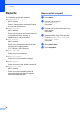
Table Of Contents
- Advanced User’s Guide MFC-J450DW MFC-J470DW MFC-J475DW DCP-J152W
- User's Guides and where do I find them?
- Table of Contents
- 1 General setup
- 2 Security features (MFC models)
- 3 Sending a fax (MFC models)
- 4 Receiving a fax (MFC models)
- 5 Dialing and storing numbers (MFC models)
- 6 Printing reports
- 7 Making copies
- Copy options
- Stop copying
- Improving copy quality
- Enlarging or reducing copies
- Making N in 1 copies or a poster (Page Layout)
- 2 in 1 ID copy (Page Layout)
- Sorting copies
- Adjusting Density
- Remove Background Color
- 2-sided copying (MFC models)
- Setting your changes as the new default
- Restoring all settings to the factory settings
- Copy options
- A Routine maintenance
- B Glossary
- Index
- brother USA/CAN

Chapter 6
28
Reports 6
The following reports are available:
Transmission
(MFC models)
Prints a Transmission Verification Report
for your last transmission.
Address Book
(MFC models)
Prints a list of names and numbers stored
in the Address Book memory, in
alphabetical or numerical order.
Fax Journal
(MFC models)
Prints a list of information about the last
incoming and outgoing faxes.
(TX: Transmit.) (RX: Receive.)
User Settings
Prints a list of your settings.
Network Config
Prints a list of your Network settings.
WLAN Report
Prints the result of the WLAN connection.
Caller ID hist.
(MFC models)
Prints a list of the available Caller ID
information about the last 30 received
faxes and telephone calls.
How to print a report 6
a Press Menu.
b Press a or b to choose
Print Reports.
Press OK.
c Press a or b to choose the report you
want to print.
Press OK.
d (Address Book Only) Press a or b to
choose Alphabetical Order or
Numerical Order.
Press OK.
e Press Black Start.
f Press Stop/Exit.