
user manual
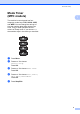
Table Of Contents
- Advanced User’s Guide MFC-J450DW MFC-J470DW MFC-J475DW DCP-J152W
- User's Guides and where do I find them?
- Table of Contents
- 1 General setup
- 2 Security features (MFC models)
- 3 Sending a fax (MFC models)
- 4 Receiving a fax (MFC models)
- 5 Dialing and storing numbers (MFC models)
- 6 Printing reports
- 7 Making copies
- Copy options
- Stop copying
- Improving copy quality
- Enlarging or reducing copies
- Making N in 1 copies or a poster (Page Layout)
- 2 in 1 ID copy (Page Layout)
- Sorting copies
- Adjusting Density
- Remove Background Color
- 2-sided copying (MFC models)
- Setting your changes as the new default
- Restoring all settings to the factory settings
- Copy options
- A Routine maintenance
- B Glossary
- Index
- brother USA/CAN

General setup
5
1
Mode Timer
(MFC models)
1
The machine’s control panel has four
temporary mode keys: FAX, SCAN, COPY
and WEB. You can change the amount of
time the machine takes after the last Fax,
Scan, Copy or Web operation before it
returns to Ready mode. If you choose Off,
the machine stays in the mode you used last.
a Press Menu.
b Press a or b to choose
General Setup.
Press OK.
c Press a or b to choose Mode Timer.
Press OK.
d Press a or b to choose 0Sec, 30Secs,
1Min, 2Mins, 5Mins or Off.
Press OK.
e Press Stop/Exit.