
Technical data



ServerIron ADX Graphical User Interface Guide 25
53-1002412-01
High Availability
5
To configure the advanced parameters for the hot standby configuration:
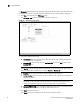
5. Click the Advance tab. The Advance tab is displayed as shown in Figure 9.
FIGURE 9 Hot standby advanced configuration
6. Provide the following information:
• Backup Preference: Enter the time interval during which the standby device waits for the
configured time before taking the active role. The range is from 5 through 30 minutes. The
default value is 5 minutes.
• Failover Delay Time: Enter the time in seconds for which the device to wait before
beginning the failover check in seconds. The range is from 0 through 1200 seconds. The
default value is 0 seconds.
• Track Active VIP Count: Select the Enable check box to configure the failover based on the
router ports and the active VIP counts.
• Track Virtual Port Count: Select the Enable check box to allow the device to track the
failure of the virtual port.
• Track Trunk Port Count: Select the Enable check box to allow the device to track the failure
of the individual ports within a trunk.
• Backup Timer: Enter the time for the backup device to wait for a Hello message or
synchronization data from the active device before assuming the active device is no longer
available. The range is from 5 through 100. The default value is 10.
• Backup Interval: The backup interval represents the timer count in units of 100
millisecond.
• Backup Group: Enter the backup group ID to configure the hot standby pairs within a single
Layer 2 broadcast domain for exchanging the backup information.
7. Cl ick Apply to save your entries.
Click Reset to revert the configuration to the previous configured values.
For more information on hotstandby configuration, refer to the ServerIron ADX Server Load
Balancing Guide.