
Technical data




ServerIron ADX Graphical User Interface Guide 137
53-1002412-01
Interface statistics
11
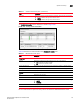
A new Interface Details page tab with detailed statistics is displayed, as shown in Figure 109.
Alternatively, to view the interface details in the graphical format, click Graph. To switch the
view between tabular and graphical format, click the Details or Graph on top right corner of the
Interface Details page.
FIGURE 109 Displaying the interface details
Table 15 describes the fields available in the Interface Details page.
TABLE 15 Interface Details fields
Field Description
Attributes
Port Displays the port of the selected interface.
Name Displays the configured name of the selected interface.
Status Displays the status of the selected interface. The interface status can be one of
the following:
• Up
• Down
Protocol Status Displays the status of the link protocol for the selected interface. The protocol
status can be one of the following:
• Up
• Down
MAC Address Displays the MAC address of the selected interface.