
Datasheet




Lenovo
®
recommends Windows
®
7 Professional.
www.lenovo.com/partner/europe
87
With their convenient cable management and simple connection/disconnection of your ThinkPad
®
,
Lenovo ThinkPad Docking Solutions give you a wealth of expansion possibilities both in the oce and
on the road.
All these docks and port replicators allow easy connection to, and disconnection from, standard
peripheral devices. Unless noted below, they all feature serial, parallel, PS/2
®
keyboard/mouse,
monitor, RJ-11 (Modem) and RJ-45 (Gigabit Ethernet) ports.
Improve your productivity by extending your notebook capabilities
Which Docking Solution is right for you?
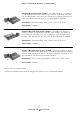
Lenovo USB2.0 Port Replicator with Digital Video – Rear ports oers
basic cable management and connectivity; Quick and easy access to
peripherals.
4 USB 2.0 ports - VGA analog video port, RJ-45 Gigabit Ethernet, Cable
Lock slot for physical security, Compatible with 90W, 135W AC Adapter.
Suitable For: ThinkPad L412, L420, L421, L512, L520,T400s, T410,
T410s, T420, T420s, T510,ThinkPad X220
Part Number: 0A3394x
ThinkPad UltraBase Series 3 – Expand the function of your ThinkPad X220
Series ultraportable or tablet with the sleek and portable ThinkPad Ul-
traBase Series 3. This simple, quick attach docking solution adds a wide
array of expansion capabilities, including an optical drive bay, but it is small
enough to carry anywhere.
Suitable For: ThinkPad X220 and ThinkPad X220 tablet
Part Number: 0A33932
ThinkPad Port Replicator Series 3 – Four USB ports, VGA monitor, key
lock, cable lock slot and Ethernet (RJ-45), no power adapter.
Suitable For: ThinkPad T400s, T410, T410s, T510,L412, L512*
Part Number: 433610W
LENOVO THINKPAD® DOCKING SOLUTIONS
* Check the ThinkPad Accessories and Upgrades section for full compatibility details