
Installation guide




26-B
ADVACED menu
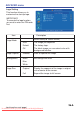
Logo capture
How to use this function?
1.
Select Logo capture item in the logo
setting menu, and press ► cursor
button.
2.
You can see the red frame that can
select captured area.
3.
Use 4 direction bottoms to adjust the
position of the frame.
4.
Press “MENU” to start capturing and
display a dialog.
NOTE ► You can only capture an image from computer mode.
► The area that can be captured is 512 x 384 dots.
Logo Capture In Progress.
Dispaly image
2
4
Downloaded From projector-manual.com Boxlight Manuals