
Product guide




SYSTEM CONTROL TASKS
XEROX DOCUPRINT 180 LPS OPERATOR GUIDE 4-11
System version
Use this task to display the system version number, the disk ID, the
PC UI version number, and the current logon level.
System Version task through windows Perform the following steps:
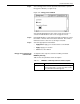
Step 1. Select “System Version” from the System Control menu to open the
System Version window (see figure 4-10).
Figure 4-10. System Version window
Step 2. Select the Close button to close the window.
System Version task through
command line
Enter the following command:
OCS
Note: The PC UI and Dialog versions do not appear when you
enter this command.