
Product guide




SYSTEM CONTROL TASKS
XEROX DOCUPRINT 180 LPS OPERATOR GUIDE 4-9
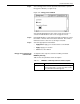
Step 2. After the software is reloaded, the confirmation window shown in
figure 4-8 appears, asking if abort data should be printed for later
analysis.
Figure 4-8. Confirmation window (print abort data)
Step 3. Select Yes or No, as appropriate.
Step 4. Another confirmation window appears (see figure 4-9) asking if you
want to recover jobs.
Figure 4-9. Confirmation window (auto job recovery)
Step 5. Select Yes or No, as appropriate.