
Product guide



PAPER FACTS
3-18 XEROX DOCUPRINT 180 LPS OPERATOR GUIDE
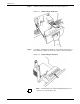
Step 8. Push the tray in, slowly but firmly, until it latches.
Caution: Do not slam the tray closed, as this can cause
improper latching or machine damage.
Step 9. If the printer stopped due to a low paper condition, press the
Continue button on the printer control console to resume the print job.