
Product guide



PAPER FACTS
3-12 XEROX DOCUPRINT 180 LPS OPERATOR GUIDE
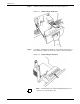
Step 3. Pull the feeder tray out until it stops, as shown in figure 3-3.
Figure 3-3. Pulling out the feeder tray
Step 4. Load paper, following the instructions on the label at the front top of
the feeder tray. Figure 3-4 shows the location of these instructions.
Figure 3-4. Paper loading instructions
Note: Load transparencies and 9-inch/229-mm tabs into one
of the processor feeder trays only.