
Product guide




USING THE PC UI
2-10 XEROX DOCUPRINT 180 LPS OPERATOR GUIDE
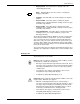
Language icon. This icon allows you to switch languages on the PC
UI if it is configured for two languages.
For more information on this icon, refer to the
Xerox DocuPrint 180
Laser Printing System PC User Interface Reference
.
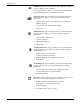
Print Tasks icon. This icon allows you to access the Print Tasks
menu. A few of the tasks you can perform through Print Tasks
windows are:
• Start an online, offline, or host interface processor (HIP) job
• Monitor job status
• Set paper tray sizes and bin stacking limits
• Set clusters.
Job Control icon. This icon allows you to access the Job Control
menu. A few of the tasks you can perform through Job Control
windows are:
• Stop, continue, or abort a job
• Clear the job queue
• Adjust print alignment
• Sample files.
System Control icon. This icon allows you to access the System
Control menu. A few of the tasks you can perform through System
Control windows are:
• Change logon level or password
• Restrict command usage (RCU)
• Back up, display, print, or empty the console log
• Exit to DOS.
Accounting icon. This icon allows you to access the Accounting
menu. A few of the tasks you can perform through Accounting
windows are:
• Access the list of completed reports (status file service)
• Access activity and user report information
• Print billing statistics.
Files icon. This icon allows you to access the Files menu. A few of
the tasks you can perform through Files windows are:
• Display or print information on tape or disk files
• Copy, delete, or rename disk or tape files
• Fix fonts and logos
• Scale 300 spi fonts, forms, or logos.