
Product guide




STATUS AND PRINT TASKS
XEROX DOCUPRINT 180 LPS OPERATOR GUIDE 9-25
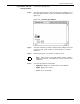
Step 4. Select the appropriate header button:
• Apply/Close. Apply your selection and close the window.
• Apply. Apply your selection.
• Close. Close the window.
Set Tray Size task through
command line
Enter the following command:
SET TRAY
n,w,l
Table 9-6 lists each parameter and its description.
Note: You cannot enter inches in command line mode.
Table 9-6. SET TRAY command parameters and descriptions
Parameter Description
n
The tray you want to modify.
w
The new width in millimeters.
l
The new length in millimeters.