
Product guide






OFFLINE PRINTING TASKS
XEROX DOCUPRINT 180 LPS OPERATOR GUIDE 7-27
Offline printing tasks through windows of PC UI
To select offline printing tasks using the windows of the PC UI:
Step 1. Open the Print Tasks menu icon.
The Print Tasks menu window appears, listing the available options
(see figure 7-44).
Figure 7-36. Print Tasks menu window
Note: You can also press the <F7> key to open the Start
window.
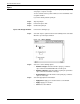
Step 2. Select the “Start” option to open the Start window (see figure 7-45).
You can also press the <F7> key to open the Start window.
Figure 7-37. Start window
Step 3. Turn to the section of this chapter which explains the task in which
you are interested.