
Product guide


OFFLINE PRINTING TASKS
7-18 XEROX DOCUPRINT 180 LPS OPERATOR GUIDE
Load a 1/2 inch cartridge
Cartridge tape precautions Before loading a cartridge, ensure it is not damaged. A damaged
cartridge can prevent the tape from threading correctly and cause
damage to the tape drive. A cartridge should not be used if the:
• Cartridge case is cracked or broken.
• Leader block or leader block latch is broken.
• File-protect selector is damaged.
• Label is peeling off.
• File protect sensor is damaged.
• Cartridge case contains any liquid.
• Cartridge has any other obvious damage.
• Tape was wound completely out of the cartridge onto the
machine reel and then reattached to the cartridge reel.
If you have a damaged cartridge, substitute a back-up version of the
data from another cartridge.
Follow this procedure to load a cartridge into the 1/2 inch cartridge
tape drive.
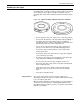
Step 1. Hold the cartridge with the smooth side on top and the leader block
toward the drive (see figure 7-28).
Figure 7-25. Holding the 1/2 inch cartridge
Caution: When you insert a cartridge, never force it.