
Product guide




OFFLINE PRINTING TASKS
XEROX DOCUPRINT 180 LPS OPERATOR GUIDE 7-3
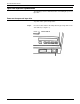
Step 2. Press the Reset button to open the loading door.
Figure 7-2. Reset button
The loading door opens and you can load an open-reel tape.
Note: If “OK” appears on the message display, but the door is
closed, press the Reset button to open it. If this fails, tap lightly
on the door to open it