
Product guide






JOB CONTROL TASKS
XEROX DOCUPRINT 180 LPS OPERATOR GUIDE 5-5
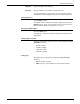
Note: You will only see this option if the system is idle.
Step 3. Select the appropriate header button:
• Apply/Close. Apply your selection and close the window.
• Apply. Apply your selection.
• Close. Close the window.
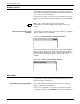
Abort task through command line To remove a specific print job from the system, enter the following
command:
ABORT
job-id
Table 5-1 lists the parameter and its description.
To cause the current job to stop printing, enter the following
command:
ABORT O
To remove the print job currently being input into the system, enter
the following command:
ABORT I
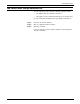
To abort a nonprint task (such as FDL or PDL), enter the following
command:
ABORT
For this command to work, there must be no print jobs active at the
time it is entered. If there is an active print job, the following message
appears:
OS1190 INVALID PARAMETER, COMMAND IGNORED
Table 5-1. ABORT command parameter and description
Parameter Description
job-id
The name of the job you want to abort.