
Product guide






SYSTEM CONTROL TASKS
4-28 XEROX DOCUPRINT 180 LPS OPERATOR GUIDE
Audit log
Use this task to display, print, or copy the current audit log from the
PC UI hard disk.
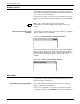
Audit Log task through windows Select “Audit Log” from the System Control menu to open the Audit
Log window (see figure 4-23).
Figure 4-23. Audit Log window
Selecting a header option
The Audit Log window gives you the following header options:
List Lists all logs of reports or jobs in the field in the lower left corner of
the window or the list display field.
Print Initiates printing of a report.
Display Initiates display of a report.
Save Saves the report in the Reports field