
User guide



DISK WINDOWS
XEROX DOCUPRINT 180 LPS PC UI REFERNCE 4-9
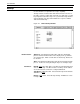
Figure 4-9. Disks>Reallocate>Print File Data window
No: Selecting the No header button within the Print File Data window
exits you from the Reallocate process.
Yes: Selecting the Yes header button within the Print File Data
window opens the Reallocate Print File Size window.
Figure 4-10. Disks>Reallocate>Print File Size window
The Print File Size window displays the number of cylinders and
sectors available for the print file, as well as the size of the current
print file. The Print File Size window prompts you to specify the size
of the Print File you want to create.