
User guide



DISK WINDOWS
4-8 XEROX DOCUPRINT 180 LPS PC UI REFERNCE
Reallocate
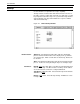
Use this window to set the size of the system print file on disk. You
may also specify the raster image file size. The system must be idle
to perform the Reallocation process.
Figure 4-8. Disks>Reallocate window
Parameters Print File Size
:
Current
: If a print file already exists, selecting Current creates a print
file of the same size. If a print file does not currently exist, selecting
Current creates a print file of the default size (400 cylinders).
Default: Selecting Default creates a print file of 400 cylinders
(default size).
Interactive Process: Selecting this option followed by Apply/Close
or Apply displays the Reallocate: Print File Data window. Refer to
figure 4-9. The Print File Data window displays the number of
cylinders and sectors in the current print file, and asks if you would
like to reallocate a different size print file. Refer to figure 4-10.
Cylinders: Enter the desired cylinder size for the print file you want
to create. 400 cylinders is the recommended print file size.
If the cylinder size you enter exceeds the cylinders available, the
system will create a print file with the largest cylinder size possible.
If the cylinder size you enter is less than 65, the system will exit the
process and send a message that the requested print file size is too
small.