
User guide



DISK WINDOWS
XEROX DOCUPRINT 180 LPS PC UI REFERNCE 4-7
Parameters Device: DP0, DP1, DP2, DP3, Floppy. Select/enter the disk or
floppy diskette for which you want information displayed.
Note: A logon level of 3 is required to initiate this command.
Purge
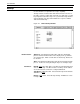
Use this window to clear all unused areas of all disks and/or the print
file and replace the old contents with pseudo-random data.
Figure 4-7. Disks>Purge window
Parameters Disks and Print Files
: Purges the entire disk, including the print file.
Disks: Purges the entire disk, excluding the print file.
Print Files: Purges only the print file.