
User guide



DISK WINDOWS
4-6 XEROX DOCUPRINT 180 LPS PC UI REFERNCE
File Check
Use this window to display and print file check information. File
check information is used to determine whether or not to perform file
maintenance on the disk (such as, compress the disk).
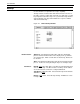
Figure 4-6. Disks>File Check window
Header buttons Display
: Selecting the Display header button (or pressing the
<ENTER> key) displays file check information, without printing it.
Displayed and/or printed file check information includes the following:
Disk ID
Logical block numbers and the number of available blocks for
each group of contiguous, available sectors
Number of available sectors in groups of 3 or less
Number of available sectors in groups of 5 or less
Number of available spaces on disk
Number of available sectors on disk (amount of disk space
available for files)
Largest available space on the disk (size of the largest file that
can be created on the disk)
Logical block number with corresponding number of bad sectors
Total number of sectors
Total number of bad sectors.
Print: Selecting the Print header button displays and prints the
above file check information. One copy of the information is printed
duplex and sent to the sample tray. The print option is not available
for the floppy device.