
User guide



DISK WINDOWS
4-2 XEROX DOCUPRINT 180 LPS PC UI REFERNCE
Backup
Use this window as a rapid disk save to tape capability.
The tape must be mounted and online when the task is invoked. If
the entire contents of a disk drive cannot fit on a single tape, you will
be prompted to load another tape. The system writes a tape number
at the beginning of the tape and maintains the sequence until the
entire disk is backed up.
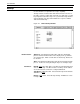
Figure 4-2. Disks>Backup window
Header buttons Apply/List: Selecting this header button starts the disk backup
process and lists file information on the display as the system files
are copied to tape. When several disks are backed up, this list can
be extensive.
Abort: Selecting this header button starts abort and exit the backup
process. No files are lost by aborting an in-process backup to tape.
Parameters Disk ID: DP0
, DP1, DP2, DP3. Select/Deselect the Disk ID(s) that
are to be backed up. The DP0 check box is always shown. Others
are shown only if the controller is configured with them.
Tape Device: TD0
, TD1, TD2. Select/enter the tape device that the
disk will be saved to.
Density: 6250
, 1600. Select the tape density. Available for reel-to-
reel tape only.