
User guide






FILES WINDOWS
3-2 XEROX DOCUPRINT 180 LPS PC UI REFERENCE
Display/Print
Use this window to display and print information on files residing on
the system disk and on tape. The abbreviated display/printout for
files on disk contains the File ID (File Name and File Type).
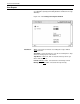
Figure 3-2. Files>Display/Print window
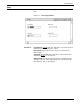
Header buttons Display: Selecting the Display header button (or pressing
<ENTER>) displays the file information you specify. Press
<CTRL><X> to cancel the display in the Display window.
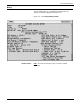
Paged Display: Select this header button to view the file information
listing page by page in the Command Line/Message window. Press
the <ENTER> key to page through the listing.
Print: Selecting this header button prints a hardcopy of the file
information you have specified.
Rewind: If a tape drive is selected as the source device, selecting
the Rewind header button rewinds the specified tape.
Unload: If a tape drive is selected as the source device, selecting
the Unload header button rewinds and unloads the tape on the drive.
Parameters Device: All Disks
, DP0, DP1, DP2, DP3, TD0, TD1, TD2, Floppy.
Select/enter the system disk or tape reference.
Three different tape devices are supported by this task: reel-to-reel
(9-track), 3480 (18-track cartridge), and streamer (26-track
cartridge). Tape devices are referenced by TD0, TD1, and TD2. At
sysgen, you may assign a tape device reference (TD0, TD1, TD2) to
one of your tape devices, otherwise the system default assignments
are used. Default assignments are as follows: TD0=9-track,
TD1=26-track, and TD2=18-track.
Tape file information begins at the current tape position and
continues to the end of the tape. If a valid tape label cannot be found,
a file number is listed and the other fields are left blank.