
User guide



USING THE PC UI
1-18 XEROX DOCUPRINT 180 LPS PC UI REFERENCE
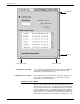
Error window This window opens when the system encounters an error or a
condition that requires you to execute an action or choose from
several options.
Figure 1-15. Error window
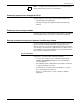
There are also message windows that may appear as a result of
communication problems between the PC UI and the system
controller or problems within the PC UI.
Figure 1-16. Message window
Working with windows
You can do the following with the windows of the PC UI:
• Leave more than one window open at a time
• Move and resize the windows
• Select options from the window header
• Select options from the auxiliary menu
• Select options from the main part of the window
• Enter information into the window