
User guide


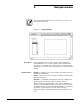



NOTEPAD WINDOW
9-2 XEROX DOCUPRINT 180 LPS PC UI REFERENCE
Parameters Saved Note: Enter a note name in the input field or select a name
from the list. (Note names can be up to 8 characters.)
Note: Within the Notepad window, pressing the <ENTER> key
saves the note. To start a new line of text while writing a note, press
and hold the <SPACEBAR> until the cursor wraps around to the next
blank line.