
User guide



SYSTEM CONTROL WINDOWS
XEROX DOCUPRINT 180 LPS PC UI REFERENCE 8-33
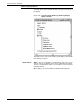
Figure 8-29. System Control>Audit Log Administration> Audit
Log Disk Usage window
It displays the following status.
• Total Size (kb): - Size of the Audit log data in kilobytes.
• Number of Files: - Number of the Audit log files on the Audit log
disk.
• % Full: - The percentage of space already used on the Audit log
disk.
If the Audit Log disk is approaching full, the following window will be
displayed.
Figure 8-30. Audit Log disk approaching full window
The disk is considered approaching full when it exceeds 85% full.
This window will first appear after the disk reaches 86% full and will
reappear every additional WHOLE percentage thereafter. This
condition is checked at the completion of every report or after every
1000 records logged againts any report. The starting percentage will
be reset to 86% if the session is restarted or if Audit Logs are deleted
and the disk is less than 86% full. If Audit Logs are deleted and the