
User guide



SYSTEM CONTROL WINDOWS
8-32 XEROX DOCUPRINT 180 LPS PC UI REFERENCE
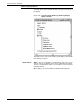
Audit Log Administration
Use this window to perform administration tasks for deleting Audit
Log jobs and reports, checking disk information, and setting report
defaults.
Figure 8-28. System Control>Audit Log Administration window
Header button List - This header button is the same as for the Audit Log window.
Delete - When a report or job has been selected and is highlighted in
the Report/Job: field, selecting this header button deletes that job or
report. When you select this header button you will get a confirmation
window.
Example:
If a job containing 100 reports needs to be deleted, it can be
deleted as individual reports or as a job. When deleting as a
job, all remaining reports in that job are deleted.
Disk . . . - Selecting this window will display the status of the Audit
Log disk in the Audit Log Disk Usage window.