
User guide



SYSTEM CONTROL WINDOWS
XEROX DOCUPRINT 180 LPS PC UI REFERENCE 8-31
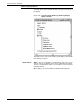
Audit Log Save
This window enables the user to identify the destination for the log to
be saved, including the Destination: Report Name and the
destination device (where it will be stored). The source name and
device are selected on the Audit Log window before the save target
is selected.
Figure 8-27. System Control>Audit Log>Audit Log Save
window
Parameters Source: - This is the source name.
Device: - This is the source location.
Destination: - The user identifies the name that the log will be given
on the destination device.
Device: - The user will identify the device to which the log is stored.