
User guide



SYSTEM CONTROL WINDOWS
8-30 XEROX DOCUPRINT 180 LPS PC UI REFERENCE
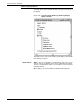
The Audit Log Search window enables case sensitive searching for
specific contents of the displayed Log. It searches for the contents of
the Search For: field.
The Entire File button is the default selection when the window is
opened. You would enter in the Search For: field the character string
you wish to search for. When the string is found, it is highlighted in
the Audit Log Display window.
The Audit Log Search window responds to the found character string
by automatically changing the Search: button selection from Entire
File to Forward and waits for the user to initiate another Search Next.
• Entire File - is used to search from the top of the file to the end.
• Forward - is used to search from where the last string of
characters was found forward to the end of the file.
• Backward - is used to search from where the last string of
characters was found to the beginning of the file.