
User guide



SYSTEM CONTROL WINDOWS
XEROX DOCUPRINT 180 LPS PC UI REFERENCE 8-29
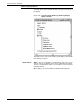
Figure 8-25. System Control>Audit Log>Audit Log Display
Options>Audit Log Display window
In the Audit Log Display window the Content section displays the
options selected in the Audit Log Display Options window. There is
also the display section where the report will be displayed. When the
block that contains “Please Wait! Audit Log is being formatted.“
disappears, the selected log will be displayed. While the “Please
Wait! Audit Log is being formatted.“ message is present, the Close
and Search header buttons are not available.
The Search . . . header button displays the Audit Log Search window.
The Stop Display header button stops the display and closes the
Audit Log Display window. The Stop Display header button is only
available while the “Please Wait! Audit Log is being formatted.“
message is present.
Figure 8-26. System Control>Audit Log>Audit Log Display
Options>Audit Log Display>Audit Log Search
window