
User guide






SYSTEM CONTROL WINDOWS
8-16 XEROX DOCUPRINT 180 LPS PC UI REFERENCE
Parameters Complete: Select this button to print error, warning, and command
logs sent to the system controller, including power-on messages.
Condensed: Select this button to print error, warning and command
logs.
Errors: Select this button to print messages indicating a condition
that prevents printer operation.
Warnings: Select this button to print messages that warn of pending
problems, but which do not indicate that the printer is stopped.
Commands: Select this button to print all operator-initiated task or
feature requests.
Debug: Select this button to print the complete log, along with debug
messages.
Start Date: Enter the starting month/day/year for the printed console
log.
Start Hour: Enter the starting hour (0-23) for the printed console log.
Duration: Select the duration (1-24 hours) of the printed console
log. For example, to print console log information for the hours of
9:00 to 5:00 on the 30th of October, 1998, enter:
10 30 98 in the Start Date field
9 in the Start Hour field
8 in the Duration field.
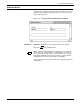
Figure 8-15. System Control>Console Log>Print Console
Log>Confirmation window
Yes: Select Yes to print the console log.
No: Select No to cancel the print request.
Stop Print
Stop Print: Select this header button to stop the printing of the
console log before the LPS starts printing. If printing has already
begun, use the JOB CONTROL>ABORT function. (Refer to figure 7-
2.)