
User guide






SYSTEM CONTROL WINDOWS
XEROX DOCUPRINT 180 LPS PC UI REFERENCE 8-9
Substitute Device
Select the Substitute Device option from the System Control menu to
substitute tape device physical keywords for logical keywords. The
physical keyword indicates which tape device is to be used for the
system logical keyword.
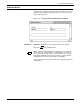
Figure 8-10. System Control>Substitute Device window
Parameters Substitute: Reel
, MReel, SReel, CTS, FCTS, SCTS, SFCTS.
For: TD0, Tape
, TD1, Cartridge, TD2.
Note: All tasks which manipulate the tape device are modified to
accept any of the logical keywords. Substitutions are preserved
across system boots and rollovers; system defaults are used only
immediately following a full system generation (sysgen). Default
substitutions are Reel for Tape, and CTS for Cartridge.
The system must be idle to perform this task; a utility task cannot be
running either.