
User guide






SYSTEM CONTROL WINDOWS
8-8 XEROX DOCUPRINT 180 LPS PC UI REFERENCE
Set Date/Time
Select the Set Date/Time option from the System Control menu to set
the system date and time.
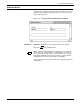
Figure 8-9. System Control>Set Date/Time window
Parameters Date: Enter Month/Day/Year.
Time: Enter Hours:Minutes:Seconds.
Note: The system must be idle when you perform this task (not
printing, offline, and not performing any non-print tasks).
You must be at logon level 2 to use this task.
It should not be necessary to set the Date/Time after a power failure
or power-off (the system clock is battery run); however, you might
want to change the Time after Daylight Savings and Standard Time
changes.