
User guide





PRINT TASKS WINDOWS
6-28 XEROX DOCUPRINT 180 LPS PC UI REFERENCE
Dump
Selecting the Dump header button from the Start window opens the
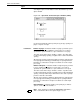
Dump window.
Figure 6-22. Print Tasks>Start>Dump window (Offline)
Use the Dump window to obtain a hard copy of the data written on a
tape in hexadecimal or octal format. The dump formats available are
as follows:
H6000 BCD (Octal)
EBCDIC
(Hexadecimal)
ASCII (Hexadecimal)
H2000 BCD (Octal)
IBM BCD (Octal)
UNIVAC (Octal)
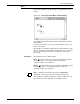
Parameters Format: EBCDIC
, ASCII, UNIVAC, H6BCD, H2BCD, IBM BCD.
Select the dump format you want.
Note: The dump format depends on having a DUMP.JDL file on the
system which is unmodified from the sysgen version.