
User guide


PRINT TASKS WINDOWS
6-24 XEROX DOCUPRINT 180 LPS PC UI REFERENCE
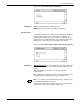
Parameters Offline: Select this button before selecting the Start header button to
print an offline job.
Online: Select this button before selecting the Start header button
to print a job received from an online host computer.
Device: TD0
, TD1, TD2, DISK (Offline parameter) Select/Enter the
print data input source.
JDE: Enter the name or number of the job descriptor entry (JDE). It
can be up to six characters in length. If no JDE name is specified,
the specified JDL default is used.
JDL: Enter the name or number of the job descriptor library (JDL)
containing the JDE task used. It can be up to six characters in length.
If no JDL name is specified, the pre-defined default is used.
Form/File ID: Enter the name of the form to be used in the job. The
specified form must be on the system disk. This form name overrides
the form specified in the JDE. If the Form option is not specified in
this window, the form specified in the JDE is used.
File ID allows you to specify a file ID on disk for the Offline start
command.
Report Mode: (Offline parameter) There are two options for Report
Mode.
• Single. The LPS stops after the processing of each report. You
can then select the parameters for the next print job.
• Multiple. All reports are processed continuously. Processing
automatically sequences from report to report, file to file,
volume to volume, until all reports have been processed.
Copies: Enter the number of copies of the report you want. If no
number is specified, the “copies” value specified in the JDE/DJDE is
used. The default is 1 copy.
Reports: Specify the sequence and set of reports to be printed. A
maximum of 14 values are allowed. A range of values uses 2 of the
14 maximum values allowed. If this option is not used, all reports are
printed.
For example, entering 6,1-3,5,4 causes the sixth report to print first,
followed by the first through third, followed by the fifth, and then the
fourth. If this example job contains more than 6 reports, they would
not be processed.
Saved Command: You may store frequently-used start commands
in the Saved Command list. You can save a job's parameters (JDL,
JDE, Copies, and Form) under the default start command name or
any other command name you choose.
To add a start command to the list:
Enter the appropriate job information in the input fields.
Enter a start command name (up to six characters) in the Saved
Command field.
Select the Save header button.
To start a job from the list:
Select the job's start command from the Saved Command list.
The job's information appears in the input fields.
Select the Start header button to start the job.