
User guide


PRINT TASKS WINDOWS
XEROX DOCUPRINT 180 LPS PC UI REFERENCE 6-17
Purge Feed
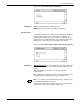
ThePurge Feed window allows you to specufy feeder trays from
which to feed purge sheets.
Figure 6-14. Print Tasks>Printer Status>Purge Feed window
Selecting the Purge Feed option from the Printer Status window
header auxiliary window opens the Purge Feed window.
Parameters Tray 1, 2
, 3, 4, 5, 6, 7. Select the trays you want to feed purge sheets
from. Tray 2 is the default.
You can specify more than one purge feed tray to accommodate jobs
of different paper sizes. The printer selects a purge feed tray
corresponding to the paper size being used.
Note: Optional trays 5, 6, and 7 are only available if the system is
configured for them.