
User guide




UTILITIES WINDOW
5-24 XEROX DOCUPRINT 180 LPS PC UI REFERENCE
Image Dump Utility (IMD)
You can select the Image Dump Utility (IMD) from the Utilities menu
or from the Message window. Use this window to set up the
parameters to display (Dump), fix, or print the content of IMG or IM6
files.
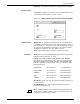
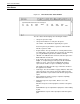
Figure 5-16. Utilities>Image Dump Utility (IMD)
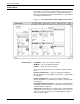
Header buttons Apply/Close: Selecting this header button initiates the Image Dump
Utility (IMD) and closes the window.
Apply: Selecting this header button or pressing the enter key
initiates the Image Dump Utility (IMD).
List Files: Selecting this header button will list the images you
designate by pressing one of the buttons under “Image File List:“.