
User's Manual


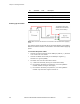


Table Of Contents
- FCC Compliance and Industry Canada Statement
- January 2005
- Chapter 1: Introduction
- Chapter 2: Product Description
- Available Models
- Front View
- Rear View
- Top View
- Bottom View
- LED indicators
- Serial Port (DB9)
- USB Port (Type B)
- Ethernet Port (RJ-45)
- Input and Output Ports (Digital & Analog I/O)
- Power Connector
- Chapter 3: Installation Requirements
- Cellular antenna
- GPS antenna
- Serial cable
- Ethernet cable
- USB cable
- Power source
- Mounting Hardware
- Wireless network account
- Chapter 4: Installing the Modem
- Power cable connector
- Powering up the modem
- Adding the modem
- Creating the DUN profile
- Chapter 5: Troubleshooting
- Appendix A: Warranty and Customer Support

Chapter 4: Installing the Modem
26 BlueTree Wireless BT4400 & BT5400 Product Manual V0.0
3)Mounting the
Modem
Place the modem in a location where you can connect the power,
antenna and data cables (refer to mechanical dimensions).
4) Installing the
Cellular Antenna
• Cellular band antennas should be mounted more than 30 cm (12
inches) from other antennas.
• Do not install the antenna in a closed metallic enclosure (such as a
cabinet or the trunk of a car).
• For safety reasons, mount the antenna at least 30 cm (12 inches)
away from the body of a person.
• The length of the antenna cable may affect the signal strength.
Choose the appropriate cable type and length refer to table below.
Installation procedure:
1. Thread the antenna cable through the vehicle so the cable can
reach the front plate of the modem.
2. Connect the cable to the TNC connector finger tight. Do not use
tools.
Warning: Antenna must not exceed 7.5 dBi. This
device must be used in mobile configurations. The
antenna(s) used for this transmitter must be
installed to provide a separation distance of at least
30 cm or 12 inches from all persons and must not
be co-located or operated in conjunction with any
other antenna or transmitter. Users and installers
must be provided with antenna installation
instruction and transmitter operating conditions for
satisfying RF exposure compliance.
Recommended Cable type and maximum length
Cable type Loss per 100 feet Recommended max length
8216 (RG58) 31 dB 20 ft.
8267 (RG213) 7.6 dB 40 ft.
LMR-400 3.9 dB 60 ft.
LMR-500 3.15 dB 80 ft.
LMR-600 2.5 dB 100 ft.
LMR-1200 1.26 dB 140 ft.
Connect the
cable here.