
Programming instructions


OPERATION & CALIBRATION
1-57
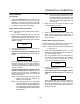
Using the DIAGNOSTICS function
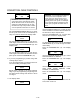
1. Use the PROGRAM ARROW KEYS (4) to select
Diagnostics. Press the PROGRAM KEY (10).
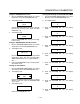
2. The display reads:
Recovery Time 1
XX:XX
Use the PROGRAM ARROW KEYS (4) to view the
previous five recovery times. Press the PROĆ
GRAM KEY (10).
3. The display reads:
DIAGNOSTICS
MODE
Press the PROGRAM KEY (10) to exit the diagĆ
nostics mode.
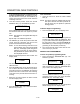
Using the TEMPERATURE OFFSET function
1. Use the PROGRAM ARROW KEYS (4) to select
Temp Offset. Press the PROGRAM KEY (10).
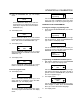
2. The display reads:
Temp Offset
XXF (or C)
Use the PRODUCT KEYS (17) to set the desired
temperature offset. Use the horizontal PROĆ
GRAM ARROW KEYS (4) to toggles between +
and -.
3. Press the PROGRAM KEY (10) to exit the temperĆ
ature offset mode.
Viewing the SCK Address
1. Use the PROGRAM ARROW KEYS (4) to select
SCK Address. Press the PROGRAM KEY (10).
2. The display reads:
SCK Address
XXX
Use the PROGRAM ARROW KEYS (4) to change
address. Press the Press the PROGRAM KEY
(10) to save.
3. The display reads:
Network Nodes
Press the PROGRAM KEY (10).
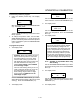
Viewing and Resetting the PROGRAM RUN TIMES
1. Use the PROGRAM ARROW KEYS (4) to select
RuntImes. Press the PROGRAM KEY (10).
2. The display reads:
Heat Cycles
X
3. Press the PROGRAM KEY (10). The display
reads:
Fan High Cycles
X
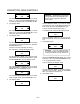
4. Press the PROGRAM KEY (10). The display
reads:
Fan Low Cycles
X
5. Press the PROGRAM KEY (10). The display
reads:
Probe Errors
X
6. Press the PROGRAM KEY (10). The display
reads:
Power On Time
X
7. Press the PROGRAM KEY (10). The display
reads:
Cold Starts
X
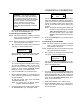
8. Press the PROGRAM KEY (10). The display
reads:
Hi LImit Temp
X
9. Press the PROGRAM KEY (10). The display
reads:
Recovery Errors
X
10. Press the PROGRAM KEY (10). The display
reads: