
Programming instructions
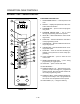


CONVECTION OVEN CONTROLS
1-56
To clear the alarm name, press the TEMP/
TOGGLE/CLEAR KEY (11).
NOTE: Use product key 1 for spaces, periods,
quotation marks and underlines.
5. Once the alarm name has been entered,
press the PROGRAM KEY (10). The display
reads:
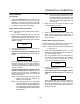
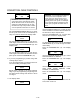
Save Library
ADD
Use the PROGRAM ARROW KEYS (4) to select
either ADD, MODIFY or CANCEL. Select ADD to
create a new alarm name. Select MODIFY to
change an existing alarm name. Select CANCEL
to exit the edit mode without saving your
changes.
NOTE: To delete an exsisting alarm name, find the
name in the product library. Press the
TEMP/TOGGLE/CLEAR KEY (11) to clear
the entire alarm name. Then select
MODIFY to overwrite the name with a clear
screen.
6. Press the PROGRAM KEY (10) to exit the alarm
name library.
Exiting the manager program mode
1. The display reads:
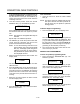
System
ProdName Lib
Use the PROGRAM ARROW KEYS (4) to scroll
up until Exit is highlighted. Press the PROGRAM
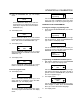
KEY (10). The display reads:
Prod Cnt
Programming
Use the PROGRAM ARROW KEYS (4) to scroll
up until Exit is highlighted. Press the PROGRAM
KEY (10) to exit the programming mode.
SERVICE LEVEL PROGRAMMING
Entering the SERVICE programming mode
NOTE: All service programming options can be acĆ
cessed using this program entry procedure.
1. Press and hold the PROGRAM KEY (10). The disĆ
play reads:
Prod Cnt
Programming
Use the PROGRAM ARROW KEYS (4) to highĆ
light Programming. Press the PROGRAM KEY
(10) to select.
ENTER CODE
Use the PRODUCT KEYS (17) to enter the proĆ
gramming access code 2000. Press the PROĆ
GRAM KEY (10). The display reads:
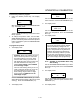
System
Factory
Programming the FACTORY functions
1. Use the PROGRAM ARROW KEYS (4) to select
Factory. Press the PROGRAM KEY (10).
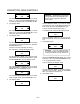
2. The display reads:
Max Prog Temp
500F
Use the PROGRAM ARROW KEYS (4) to select
either 500 or 550. XCEL model ovens should be
set to 550F. All other models should be set to
500F. Press the PROGRAM KEY (10).
3. The display reads:
Fan Speed Type
XXX
Use the PROGRAM ARROW KEYS (4) to select
either 1 Speed or 2 Speed. Only the DFGĆ50 is a
1 speed oven. Press the PROGRAM KEY (10).
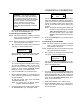
4. The display reads:
Fan Error Detect
XXX
Use the PROGRAM ARROW KEYS (4) to select
either YES or NO. Press the PROGRAM KEY (10).