
Programming instructions


OPERATION & CALIBRATION
1-55
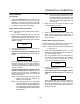
Definition - This function programs
time for the oven to idle after reaching
the preheat temperature allowing heat
to saturate the oven cavity. The preheat
time only applies to the initial preheat
after a cold start. This is strictly a
prompt, the user may begin a bake
cycle even with the preheat prompt disĆ
played.
Use the PRODUCT KEYS (17) to enter a preheat
time. Press the PROGRAM KEY (10).
Programming the PRODUCT NAME
NOTE: Use these instructions to modify an existing
name, to add a product name or to delete a
name already in the library.
NOTE: Names may be up to 16 characters long and
can contain letters and numbers.
1. After entering the manager level programming
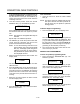
(see page 1-53) the display reads:
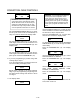
System
ProdName Lib
With ProdName Lib highlighted, press the PROĆ
GRAM KEY (10) to select. The display reads:
Prod Name Lib
2. Use the up and down PROGRAM ARROW KEYS
(4) to scroll through the existing product names.
Or press the PRODUCT KEY (17) that correĆ
sponds with the first letter of the name you are
looking for. Then use the PROGRAM ARROW
KEYS (4) to scroll to the desired name.
3. Press the SCAN KEY (15) to edit the name.
4. Use the PRODUCT KEYS (17) to edit the product
name. Press the right arrow key to advance to
the next character.
To clear the product name, press the TEMP/
TOGGLE/CLEAR KEY (11).
NOTE: Use product key 1 for spaces, periods,
quotation marks and underlines.
5. Once the product name has been entered, press
the PROGRAM KEY (10). The display reads:
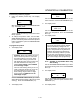
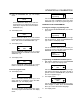
Save Library
ADD
Use the PROGRAM ARROW KEYS (4) to select
either ADD, MODIFY or CANCEL. Select ADD to
create a new product name. Select MODIFY to
change an existing product name. Select CANĆ
CEL to exit the edit mode without saving your
changes.
NOTE: To delete an exsisting product name, find
the name in the product library. Press the
TEMP/TOGGLE/CLEAR KEY (11) to clear
the entire product name. Then select
MODIFY to overwrite the name with a clear
screen.
6. Press the PROGRAM KEY (10) to exit the product
name library.
Programming the ALARM NAME
NOTE: Use these instructions to modify an existing
name, to add an alarm name or to delete a
name already in the library.
NOTE: Names may be up to 16 characters long and
can contain letters and numbers.
1. After entering the manager level programming
(see page 1-53) the display reads:
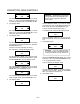
System
ProdName Lib
Use the PROGRAM ARROW KEYS (4) to highĆ
light Alarm Lib. Press the PROGRAM KEY (10) to
select. The display reads:
Alarm Name Lib
2. Use the up and down PROGRAM ARROW KEYS
(4) to scroll through the existing alarm names. Or
press the PRODUCT KEY (17) that corresponds
with the first letter of the name you are looking for.
Then use the PROGRAM ARROW KEYS (4) to
scroll to the desired name.
3. Press the SCAN KEY (15) to edit the name.
4. Use the PRODUCT KEYS (17) to edit the alarm
name. Press the right arrow key to advance to
the next character.