
Programming instructions
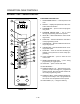


CONVECTION OVEN CONTROLS
1-54
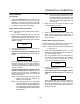
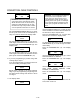
Tone Volume
XXX
Use the PROGRAM ARROW KEYS (4) to select
None, 1, 2, 3 or 4. Press the PROGRAM KEY (10)
to select the desired level for all audible signals.
4. The display reads:
Temperature
XXX
Use the PROGRAM ARROW KEYS (4) to select
either F or C. Press the PROGRAM KEY (10) to
select the desired temperature units.
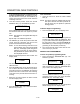
5. The display reads:
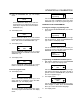
Hold Time
XXX
Use the PRODUCT KEYS (17) to enter the length
of hold time for the manual hold button. Press the
PROGRAM KEY (10).
If a time of 00:00 is enter skip to step 6.
If a hold time is entered the display reads:
Hold Temp
XXX
Use the PRODUCT KEYS (17) to enter the hold
temperature for the manual hold button. Press
the PROGRAM KEY (10). The display reads:
Hold Done
XXX
Use the PROGRAM ARROW KEYS (4) to select
either AUTOMATIC or MANUAL. Press the PROĆ
GRAM KEY (10). The display reads:
Hold Fan Speed
XXX
Use the PROGRAM ARROW KEYS (4) to select
HIGH or LOW. Press the PROGRAM KEY (10).
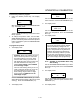
6. The display reads:
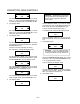
Setback Time
XXX
Definition - Setback time is an energy
savings feature that automatically lowĆ
ers the cavity temperature when the
oven is idle.
Use the PRODUCT KEYS (17) to enter the length
of the time the oven is idle before entering setĆ
back mode. Press the PROGRAM KEY (10).
If a time of 00:00 is enter skip to step 7.
If a setback time is entered the display reads:
Setback Temp
XXX
Use the PRODUCT KEYS (17) to enter the setĆ
back temperature. Press the PROGRAM KEY
(10).
7. The display reads:
Shelf Sense
XXX
Definition - If you are using sensitivity
as a timing mode for single stage stage
recipes this feature must be turned on.
Use the PROGRAM ARROW KEYS (4) to select
either Yes or No. Press the PROGRAM KEY (10).
If no is selected skip to step 8.
If yes is selected the display reads:
Shelf 1 Sens
XXX
Use the PRODUCT KEYS (17) to enter a sensitivĆ
ity level of 1Ć9 for shelf 1. Press the PROGRAM
KEY (10). Repeat for shelves 2Ć5.
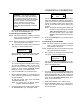
8. The display reads:
Preheat Time
XXX