
Programming instructions


OPERATION & CALIBRATION
1-53
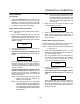
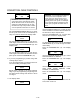
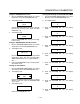
12. Press the PROGRAM KEY (10). The display
reads:
Hold Time
XX:XX
Use the PRODUCT KEYS (17) to enter deĆ
sired hold time. If a hold time of 00:00 is enĆ
tered skip to step NO TAG. Press the PROĆ
GRAM KEY (10).
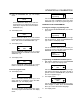
13. The display reads:
Hold Temp
XXXF
Use the PRODUCT KEYS (17) to enter desired
hold temperature. The minimum hold temperaĆ
ture is 140F. Press the PROGRAM KEY (10).
14. The display reads:
Hold Done
XXX
Use the PROGRAM ARROW KEYS (4) to select
either AUTOMATIC or MANUAL. Press the PROĆ
GRAM KEY (10).
15. The display reads:
Hold Fan Speed
XXX
Use the PROGRAM ARROW KEYS (4) to select
HIGH or LOW.Press the PROGRAM KEY (10).
To exit the program mode
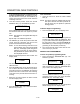
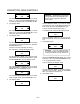
16. The display reads:
Exit
All
Use the PROGRAM ARROW KEYS (4) to scroll
down until exit is highlighted. Press the PROĆ
GRAM KEY (10). The display reads:
Recipe
Exit
To program another product key select recipe.
To exit the progam mode select exit. The display
reads:
Product Cnt
Programming
Use the PROGRAM ARROW KEYS (4) to scroll
down until exit is highlighed. Press the PROĆ
GRAM KEY (10) to exit the programming mode.
MANAGER LEVEL PROGRAMMING
Entering the manager programming mode
1. Press and hold the PROGRAM KEY (10). The disĆ
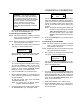
play reads:
Prod Cnt
Programming
Use the PROGRAM ARROW KEYS (4) to highĆ
light Programming. Press the PROGRAM KEY
(10) to select. The display reads:
ENTER CODE
Use the PRODUCT KEYS (17) to enter the proĆ
gramming access code 6647. Press the PROĆ
GRAM KEY (10). The display reads:
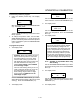
System
ProdName Lib
Programming the MANAGER SYSTEM options
1. With System highlighted, press the PROGRAM
KEY (10) to select. The display reads:
Appliance Type
XXX
Use the PROGRAM ARROW KEYS (4) to highĆ
light electric half, electric full, XCEL, gas half or
gas full. Press the PROGRAM KEY (10) to select
the correct appliance type.
2. The display reads:
Language
XXX
Use the PROGRAM ARROW KEYS (4) to selecĆ
teither English or Other. Press the PROGRAM
KEY (10) to select the desired language.
3. The display reads: