
Programming instructions


CONVECTION OVEN CONTROLS
1-52
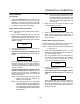
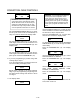
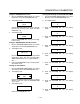
Stage 1 Fan Cyc
XXX
Definition: There are 3 options for fan
cycle time: Pulse, Heat and Full. Pulse
allows the fan to turn on and off as proĆ
grammed. Heat allows the fan to operĆ
ate with heat only. Full provides continuĆ
ous fan operation when door is closed.
Use the PROGRAM ARROW KEYS (4) to select
the fan cycle. If heat or full are selected skip to
step 10. If pulse is selected the display reads:
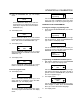
Stage 1 Fan On
XX:XX
Use the PRODUCT KEYS (17) to enter the deĆ
sired length of the time the fan should be on in
the pulse cycle. Press PROGRAM KEY (10). The
display reads:
Stage 1 Fan OFF
XX:XX
Use the PRODUCT KEYS (17) to enter the deĆ
sired length of the time the fan should be off in the
pulse cycle. Press the PROGRAM KEY (10).
10. If you are programming a product using shelf
cooking skip to step 11.
If you are programming a product that does not
use shelf cooking the display reads:
Stage 2 Time
XX:XX
Repeat steps 5 through 10 for each remaining
stage. If you are programming a single stage recĆ
ipe without shelf cooking enter at time of 00:00
for stage 2.
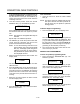
11. The display reads:
Alarm 1 Time
XX:XX
Definition: If you would like the alarm to
sound prior to the completion of the
cook cycle you may program it here.
The alarm time counts up from the beĆ
ginning of the cook cycle. For example,
if you want an alarm 9 minutes into the
cook cycle, program the alarm time at
9:00.
Use the PRODUCT KEYS (17) to enter the time
for the first alarm to sound. If 00:00 is entered for
an alarm time, skip to step NO TAG.
Press the PROGRAM KEY (10). If a time other
than 00:00 is entered the display reads:
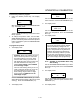
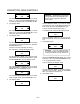
Alarm 1 Name
XXX
To change the alarm name, use the PROGRAM
ARROW KEYS (4) to scroll through the alarm
name library.
Press the PROGRAM KEY (10). The display
reads:
Alarm 1 Done
XXX
Use the PROGRAM ARROW KEYS (4) to select
either AUTOMATIC or MANUAL.
Press the PROGRAM KEY (10). The display
reads:
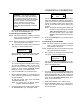
Alarm 1 Tone
XXX
Use the PROGRAM ARROW KEYS (4) to select
either NONE, SHORT, MEDIUM, LONG,
DOUBLE, or LONG/SHORT.
Press the PROGRAM KEY (10). The display
reads:
Alarm 2 TIme
XXX
Repeat step 11 for alarm 2. If no Alarm 2 is deĆ
sired, enter a time of 0.