
Programming instructions


OPERATION & CALIBRATION
1-51
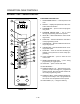
To select the product to program
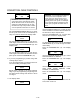
2. Press the desired product key. The display
reads:
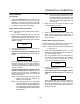
All
Name
With All highlighted, press the PROGRAM KEY
(10). The display reads:
Product Name
AAA
The first alphabetical listing in the product name
library appears.
3. To change the product name, use the PROĆ
GRAM ARROW KEYS (4) to scroll through the
product name library. When the desired product
name is highlighted, press the PROGRAM KEY
(10) to select.
To program the product
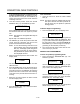
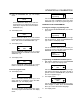
4. The display reads:
Shelf Cook
XXX
Definition: Shelf cook enables the operĆ
ator to reference product to one of the
five shelf positions in the oven. At the
end of a shelf cooking cycle the oven
will display the name of the product and
the shelf number that is ready to be
pulled. Shelf cooking is not available
for multiĆstage recipes.
Use non shelf cooking when you do not
need to reference product to one of the
five shelf positions in the oven. Non
shelf cooking may be used for single
stage recipes and MUST be use for
multiĆstage recipes.
Use the PROGRAM ARROW KEYS (4) to select
either YES (for shelf cooking) or NO (for non shelf
cooking). Press the PROGRAM KEY (10).
5. The display reads:
Stage 1 Time
XX:XX
Use the PRODUCT KEYS (17) to enter the deĆ
sired cook time. Press the PROGRAM KEY (10).
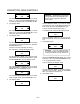
6. The display reads:
Stage 1 Temp
XXXF (or C)
Use the PRODUCT KEYS (17) to enter the deĆ
sired cook temperature. Press the PROGRAM
KEY (10).
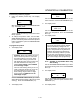
7. The display reads:
Stage 1 Timing
XXX
Definition: There are 3 options for timĆ
ing mode when shelf cooking: Straight,
Flex and Sensitivity. Straight has no
time adjustment. Flex adjusts the cook
time to compensate for any difference
between the setpoint and actual temĆ
perature. Sensitivity enables a product
key to have a flex adjustment for each
of the five shelves. Sensitivity values are
set in the manager level programming.
NOTE: Sensitivity is only available when using
shelf cooking.
Use the PROGRAM ARROW KEYS (4) to select
the desired timing mode. Press the PROGRAM
KEY (10).
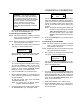
8. The display reads:
Stage 1 Fan Spd
XX
Use the PROGRAM ARROW KEYS (4) to select
either HIGH or LOW fan speed. Press the PROĆ
GRAM KEY (10).
9. The display reads: