
Programming instructions
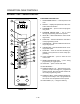


CONVECTION OVEN CONTROLS
1-50
If the shelf timing function is toggled to the off
position for that product, pressing the product
key will start the cook cycle. The DISPLAY (2)
scrolls the product name and counts down the
remaining cook time.
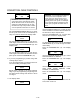
3. Load the second product. Press the desired
PRODUCT KEY (17). the DISPLAY (2) reads
PICK SHLF
Press a SHELF KEY (18) to assign the product to
that shelf and start the cook cycle for product
two.
NOTE: Only products with lighted LEDS may be
selected.
Repeat step 3 for additional products.
4. The DISPLAY (2) scrolls the product name and
counts down the remaining cook time for the
product with the least time remaining.
NOTE: To view the remaining cook time for the
other products press and hold the SCAN
KEY (15). The display cycles through the
remaining cook times for each product.
Only the led for the product with the cook
time displayed will be lit.
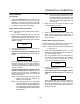
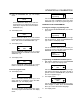
5. When a cook time expires an alarm sounds. The
display reads
DONE
The led for the finished product lights. All other
LEDS are dark.
6. Press the SHELF KEY (18) for the finished prodĆ
uct to silence the alarm. Remove the product.
Close the oven door. The DISPLAY (2) scrolls the
product name and counts down the remaining
cook time for the product with the least time reĆ
maining.
7. When the cook time expires an alarm sounds
and the display reads:
DONE
8. Press the SHELF KEY (18) to silence the alarm.
Remove the product.
Oven Cool Down:
1. Close the oven door. Press the COOL DOWN
KEY (8).
NOTE: Cool down cannot be activated with the oven
door open. Once the cool down cycle has beĆ
gun the doors may be opened to speed the
cooling process.
To Review Repipe Programming:
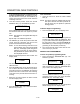
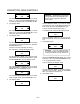
1. Press the SCAN KEY (15). The display read:
RECIPE REVIEW
Select Product
The LEDs (16) for all previously programmed
product keys light. Press the PRODUCT KEY
(17) you wish to review. The display gives the recĆ
ipe cook time for stage 1. Use the PROGRAM ARĆ
ROW KEYS (4) to scroll through the recipe proĆ
gramming for the selected product key.
2. The control will exit recipe review after 30 secĆ
onds if no key is pressed.
PRODUCT KEY PROGRAMMING
To enter the product programming mode
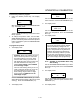
1. Press and hold the PROGRAM KEY (10). The
DISPLAY (2) reads:
Prod Cnt
Programming
Use the PROGRAM ARROW KEYS (4) to highĆ
light Programming. Press the PROGRAM KEY
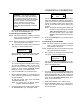
(10) to select. The display reads:
ENTER CODE
Use the PRODUCT KEYS (17) to enter the proĆ
gramming access code 1724. Press the PROĆ
GRAM KEY (10). The display reads:
RECIPE
Press the PROGRAM KEY (10). All of the product
LEDSs will light and the display reads:
Select Product
To Program